


How to Use MarketerBrowser for Multi-Account Management, Automation, and Testing
 Introduction
Managing multiple accounts across social media platforms, payment systems, or gaming environments can quickly become complex and risky if all accounts share the same browser or IP. Issues like account bans, login challenges, and cross-account detection are common.
MarketerBrowser provides a solution by allowing users to create fully isolated browser profiles, each with its own fingerprint, cookies, proxies, and device settings. Whether you’re running campaigns for multiple clients, automating QA tests, or experimenting with game accounts, MarketerBrowser ensures each project stays separate and secure.
In this knowledge-base article, we’ll walk through real-world use cases, including:
Multi-account social media management
Automated testing with payment systems (like MercadoPago)
Gaming account management
Best practices for scaling and security
Step 1: Setting Up Browser Profiles
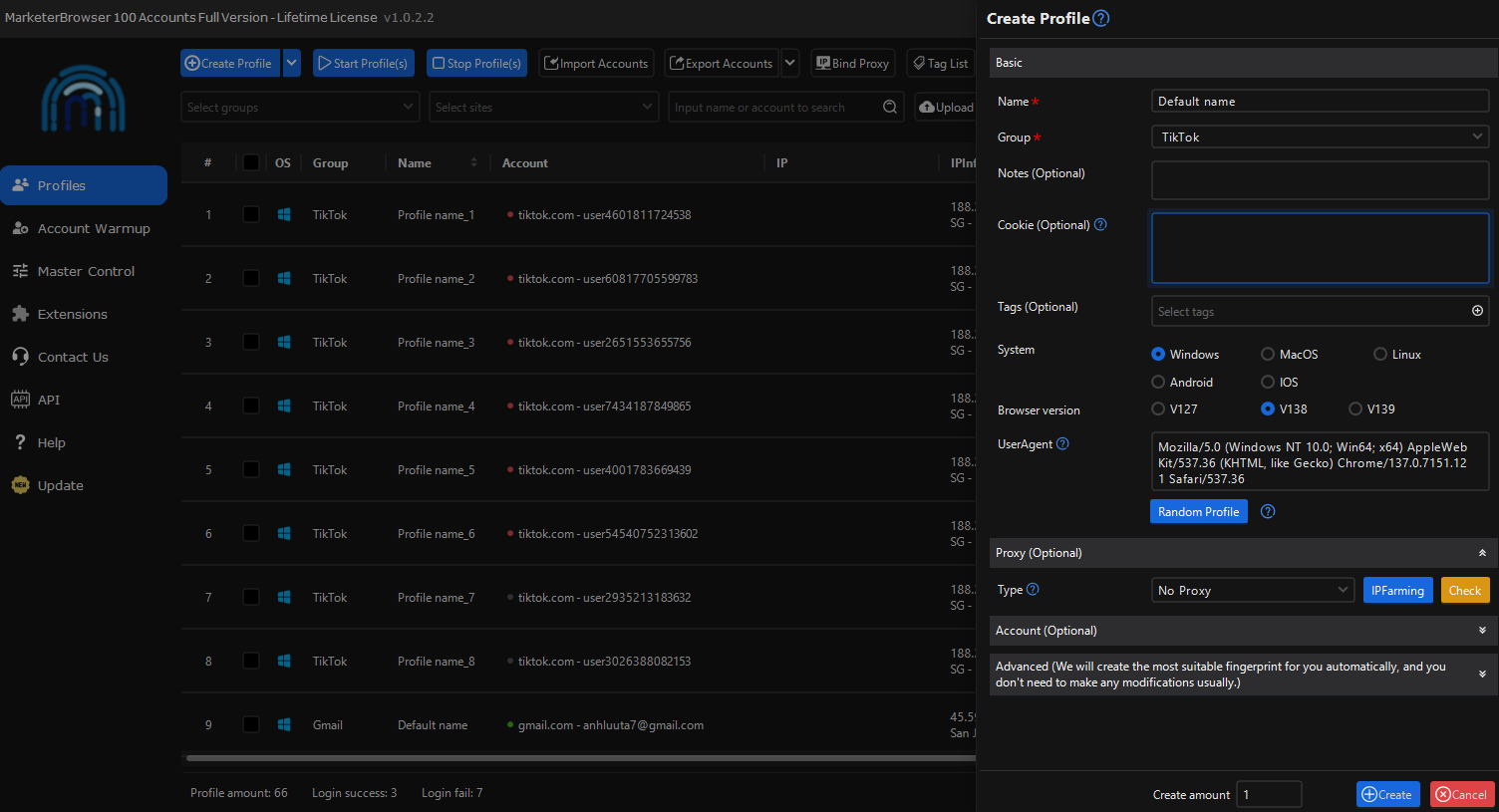
1.1 Create Your First Profile
Open MarketerBrowser.
Click “New Profile”.
Choose the platform (Windows/macOS emulation, mobile/desktop).
Assign a unique name for the profile (e.g., “Client_A_Instagram”).
Tip: Keep naming consistent to manage dozens of profiles easily.
1.2 Configure Fingerprints and Proxies
Set user-agent, timezone, language, and screen resolution.
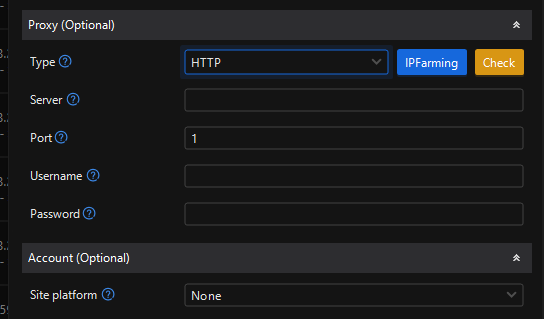
Configure a proxy (HTTP or SOCKS5). You can choose from local proxies or services like Bright Data or Oxylabs.
Best Practice: Use a dedicated proxy per profile to prevent cross-account detection.
Step 2: Logging in and Managing Accounts
2.1 Social Media Accounts
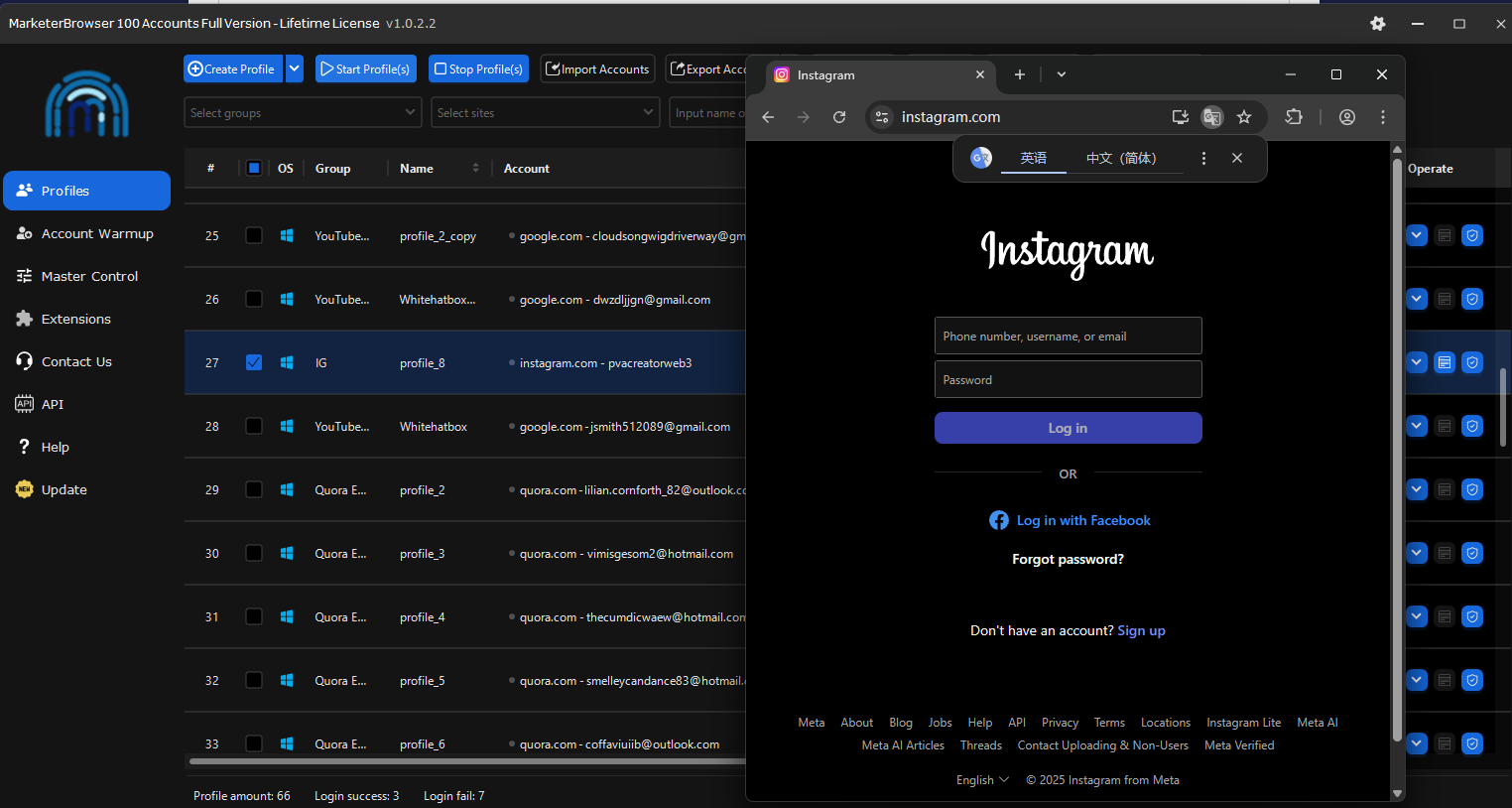
Open the profile and log into platforms like Facebook, Instagram, TikTok, or Twitter.
Use profile isolation to maintain multiple accounts without conflicts.
Step Example:
Profile “Client_A_Instagram” → log into Instagram account A.
Profile “Client_B_Instagram” → log into Instagram account B.
Perform posts, likes, or comments.
2.2 Automated Testing (Payment Systems like MercadoPago)
Create a profile for testing payment workflows.
Use sandbox/test card credentials to simulate transactions.
Each profile runs independently, avoiding interference with real accounts or live payment systems.
Example Use Case:
Profile “MercadoPago_Test1” → simulate payment for test product A.
Profile “MercadoPago_Test2” → simulate payment for test product B.
Tip: Never use real customer data during tests. Always isolate test accounts.
2.3 Gaming Project Management
Manage multiple gaming accounts safely without bans.
Each profile can have different OS/device emulations and locations for geo-specific testing.
Useful for QA testing, bot behavior simulation, or game account analytics.
Step 3: Automating Tasks Across Profiles
3.1 Social Media Automation
Schedule posts or actions per profile.
Combine with automation tools (e.g., JarveePro) if needed: MarketerBrowser handles profile isolation; JarveePro executes campaign tasks.
Step Example:
Profile “Client_A_Instagram” → schedule posts 9:00 AM / 5:00 PM.
Profile “Client_B_Instagram” → automate content scraping and engagement tracking.
3.2 Testing Automation
Use scripting or browser automation to repeat QA tasks in isolated profiles.
Test multiple scenarios simultaneously, e.g., multiple payment methods, multiple product purchases.
Tip: Start with a small batch to ensure each profile behaves correctly before scaling.
Step 4: Scaling and Monitoring
4.1 Export and Backup Profiles
Profiles can be exported for team sharing or backups.
Makes onboarding new team members faster.
4.2 Monitor Activities
Keep track of logins, actions, and performance per profile.
Avoid overloading any single IP or profile to reduce detection risk.
4.3 Team Collaboration
For teams, assign profiles to different members.
Limit access to proxies and sensitive credentials.
Step 5: Best Practices
Isolate profiles per project – each client, game, or payment workflow gets a dedicated profile.
Use dedicated proxies – never share proxies between sensitive accounts.
Warm-up new accounts – start slowly to mimic human behavior.
Document profiles – maintain a spreadsheet or internal system to track profiles, purposes, and credentials.
Stay compliant – follow platform TOS and legal rules for test payments.
Conclusion
MarketerBrowser is a versatile solution for professionals who manage multiple accounts, automate workflows, or test processes safely. Whether your goal is social media marketing, payment system QA, or gaming account management, MarketerBrowser ensures that each profile is isolated, secure, and optimized for automation.
By following this guide, you can:
Run multiple social media campaigns safely
Simulate test payments without affecting real accounts
Manage gaming accounts across multiple devices and geolocations
Scale operations with minimal risk of account bans