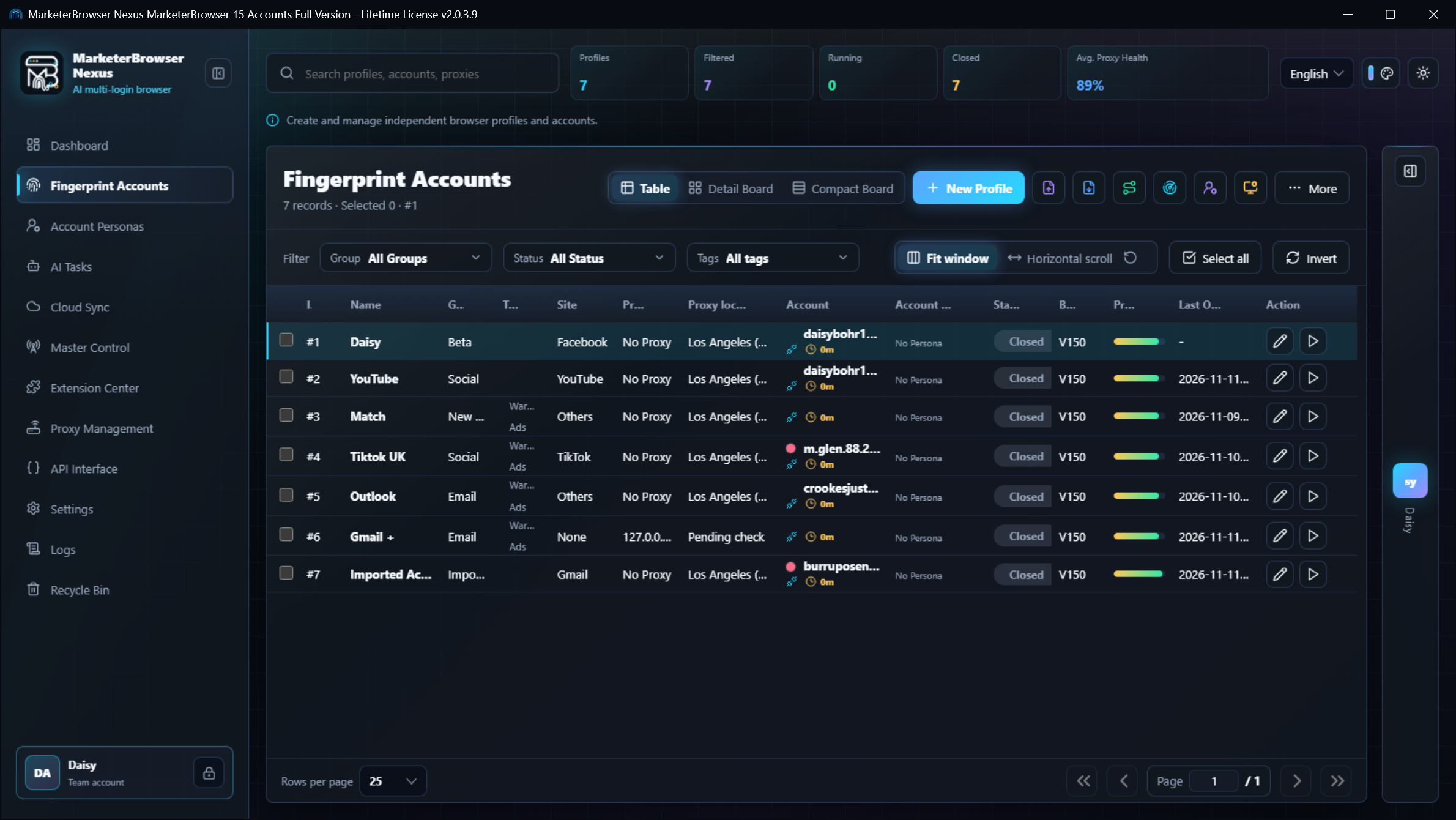


MarketerBrowser Nexus: Team Browser Management & AI Automation
Managing multiple online accounts is no longer just about switching between browser windows. It's about managing the environments, people, and workflows behind them.
Think about a digital marketing agency.
One employee manages advertising accounts. Another handles social media. A third researches competitors. Meanwhile, an automation specialist is building browser workflows that need to run consistently across different projects.
Everyone uses a browser.
But not everyone needs the same browser environment.
This is the challenge behind MarketerBrowser Nexus, a browser operations platform designed around isolated identities, account workflows, and AI-powered automation.
The Browser Is Becoming a Business Workspace
For years, browser technology focused primarily on helping people access websites.
But modern digital operations have become more complicated.
A single business may manage:
Multiple advertising accounts and client projects
Social media profiles across different platforms
E-commerce stores and marketplace accounts
Affiliate marketing campaigns
International market research
Browser-based automation
AI agents that interact with websites
Teams working across different computers
The problem isn't the number of tabs.
It's the lack of organization between accounts, sessions, browser environments, and people.
This is why dedicated browser profile management is becoming increasingly relevant.
What Is MarketerBrowser Nexus?
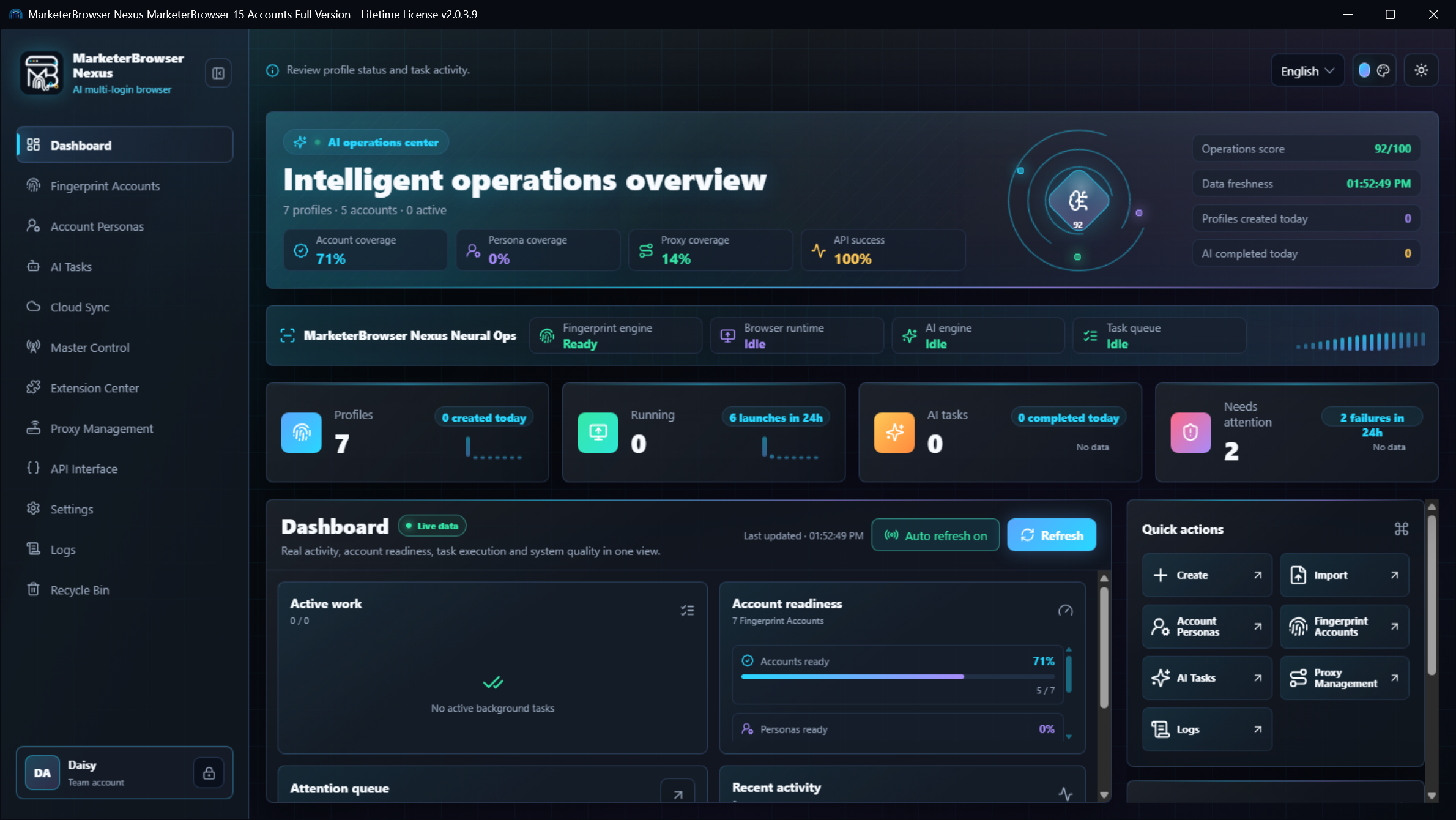
MarketerBrowser Nexus is a browser operations platform built around managing isolated browser identities and automation workflows.
Its interface brings together browser-profile management and an operations-oriented approach to working with online accounts.
The Nexus login interface introduces two distinct authentication paths:
License: An entry point for license-based access.
Team Account: A dedicated sign-in option for users with team credentials.
This distinction reflects an important operational need: individuals and teams may require different ways to access and organize their browser workflows.
The login interface also includes secure sign-in controls, a machine-code option, and an auto-login preference.
These are practical details, but they point toward a larger idea.
Browser management is moving beyond individual sessions toward organized digital operations.
1. Browser Identity: Why Profile Separation Matters
Imagine managing three unrelated client accounts in one browser environment.
Even with separate tabs, the browser may retain cookies, local application data, and other session information.
Dedicated browser profiles help create clearer boundaries.
A profile can contain its own:
Cookies and session information
Local Storage and IndexedDB
Browser identity settings
User Agent
Language and timezone
Screen and device characteristics
Network configuration
For a marketing agency, that means different client projects can be organized around different browser environments.
For an e-commerce operator, separate stores can have their own workspaces.
For a developer, different testing scenarios can use controlled configurations.
The goal isn't invisibility.
It's consistency, separation, and operational control.
2. Team Accounts: A Different Way to Think About Browser Management
Traditional browser workflows are often designed around one person.
But businesses operate through teams.
Consider an agency with ten employees managing multiple client projects.
Some employees work on advertising. Others manage content, customer communication, analytics, or technical automation.
Without a clear organizational structure, browser profiles can become difficult to track.
The MarketerBrowser Nexus interface includes a dedicated Team Account sign-in option, providing a separate authentication path for team users.
That is a useful starting point for team-oriented browser operations.
However, team authentication and profile-sharing permissions are different capabilities. The availability of specific roles, sharing controls, and administrative functions depends on the Team Version configuration.
Where team-oriented browser workflows are useful
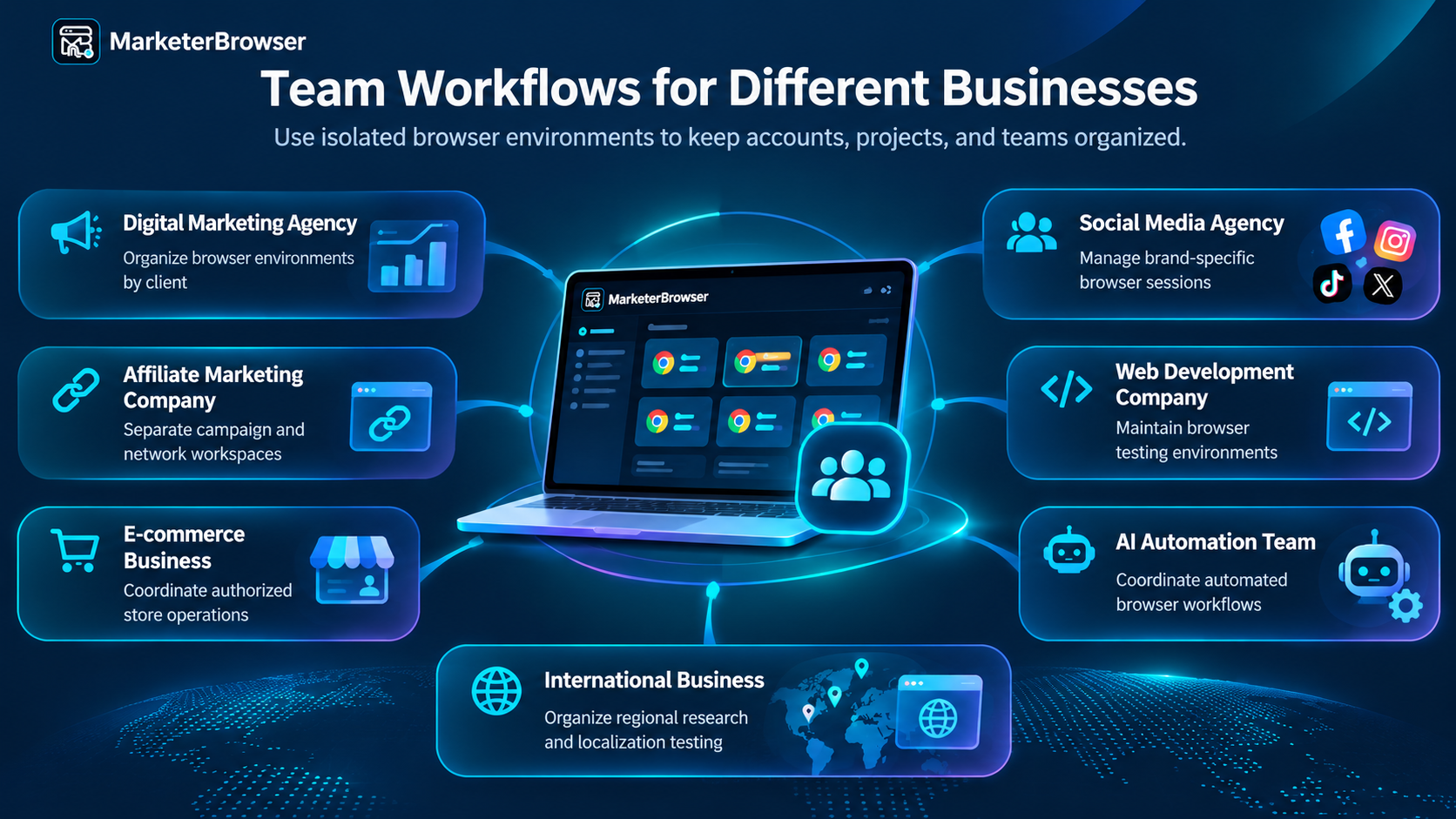
The common requirement is simple: different people need to work with the right environments without confusing one project with another.
3. Why Affiliate Marketers Need Better Browser Organization
Affiliate marketing is a useful example.
An affiliate business may work with multiple advertisers, networks, tracking systems, landing pages, and traffic sources.
Each campaign has its own operational requirements.
A browser-profile-based approach can help separate campaign research, analytics dashboards, and authorized account sessions.
For example:
Campaign A: SaaS affiliate program
Campaign B: E-commerce products
Campaign C: Educational services
Campaign D: International market research
Each campaign can have a dedicated browser workspace.
This makes it easier to return to the correct environment and maintain a consistent workflow.
A fingerprint browser does not guarantee account approval or prevent platform enforcement. Its value is in making legitimate multi-account operations easier to organize.
4. Advertising Agencies: More Clients Shouldn't Mean More Confusion
An advertising agency may manage Meta Ads, Google Ads, TikTok Ads, analytics tools, and landing-page testing for different clients.
The challenge is keeping account access and campaign environments organized.
Dedicated profiles can help teams separate client workspaces and reduce accidental cross-account activity.
For example, an agency might organize profiles by:
Client
Advertising platform
Campaign purpose
Assigned team
Testing environment
This structure can make daily operations easier to understand.
The browser becomes a workspace associated with a particular business responsibility rather than an anonymous window.
5. Browser Fingerprints: Consistency Is More Important Than Randomness
Fingerprint browsers are often associated with changing browser characteristics.
But changing as many values as possible is not necessarily a good strategy.
Websites may observe characteristics such as:
Browser version
Operating system
User Agent
Platform Version
Canvas
WebGL
Audio
Fonts
Screen resolution
Device pixel ratio
These characteristics can be related.
For example, a desktop browser identity should use values compatible with its intended operating-system and browser environment.
MarketerBrowser's profile editor includes a Browser Identity configuration area covering the operating system, browser version, User Agent, and Platform Version.
These settings help define the foundation of a browser profile.
A coherent configuration is generally more useful for reproducible workflows than arbitrary combinations of unrelated values.
6. Browser Data Matters Just as Much as Browser Identity
There's another part of browser management that businesses often overlook.
A browser profile contains more than fingerprint settings.
Websites can store important information through several browser storage technologies.
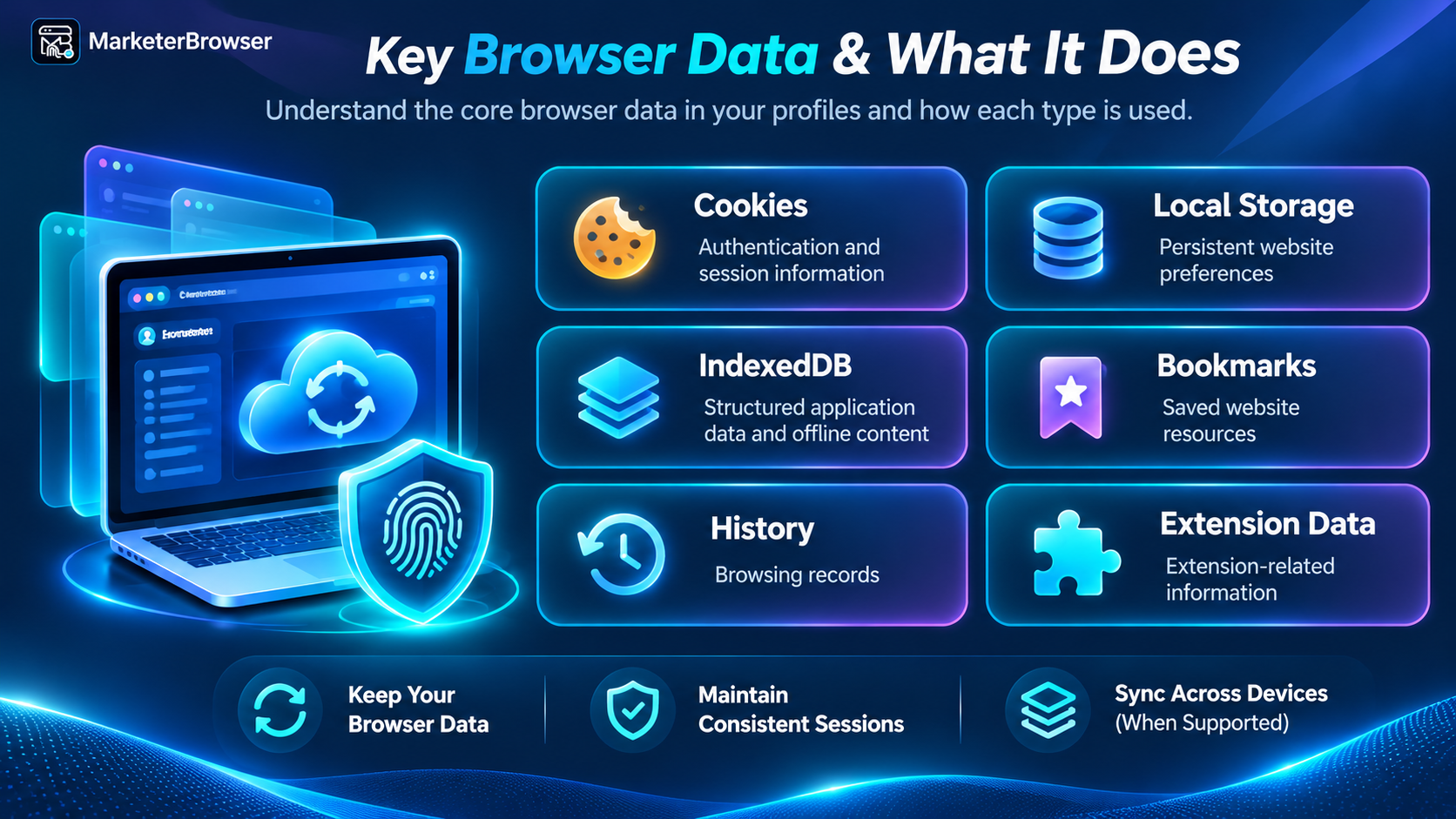
This becomes important when changing computers or maintaining work across different environments.
MarketerBrowser's Cloud Sync interface includes selectable browser-data categories such as Cookies, Passwords, Bookmarks, Local Storage, IndexedDB, History, and Extension Data.
These settings allow users to identify the types of data intended for synchronization.
However, transferring browser data does not guarantee that every website will preserve its authenticated session.
Some websites may require users to sign in again after a device or browser environment changes.
The lesson is that browser identity, browser storage, and website authentication are separate parts of the same workflow.
7. AI Browser Automation: Where Browser Profiles Become Infrastructure
Now consider what happens when AI enters the picture.
Traditional browser automation follows predefined instructions.
An AI browser agent can potentially interpret a goal, select actions, interact with websites, and evaluate results.
But an AI agent still needs a browser environment.
That environment may require:
A persistent session
Browser configuration
Website preferences
Network settings
Appropriate account permissions
Access to supported automation interfaces
This is where browser profiles become important.
A simplified architecture looks like this:
AI Agent → Automation Interface → Browser Profile → Website
MarketerBrowser Nexus is positioned around AI browser operations, and the interface references technologies such as REST, DLL, and AI Stream.
The exact capabilities and integrations should be evaluated against the relevant software version and documented APIs.
For businesses, the bigger opportunity is to combine controlled browser environments with automation that reduces repetitive work while preserving human oversight for sensitive actions.
8. The Real Challenge of Managing Hundreds of Profiles
A browser platform may allow users to organize large numbers of profiles.
But managing them efficiently requires more than simply creating them.
Consider a workflow that opens 1,000 browser profiles sequentially.
If each profile requires 10 seconds to initialize, the total startup time alone would be approximately 2 hours and 47 minutes.
This illustrates why performance matters.
Large-scale operations need to consider:
Browser startup time
CPU and memory usage
Disk performance
Network configuration
Automation concurrency
Profile organization
Session persistence
Error recovery
A well-designed workflow should account for both browser performance and operational reliability.
9. Who Should Explore MarketerBrowser Nexus?
MarketerBrowser Nexus is particularly relevant to users who need more structured browser operations.
For individual marketers: Organize separate business accounts, research environments, and campaign workspaces.
For advertising agencies: Maintain clearer separation between client projects.
For affiliate marketers: Manage authorized campaign and tracking environments.
For e-commerce operators: Keep store-management workflows organized.
For developers: Work with controlled browser profiles for testing and automation.
For AI automation teams: Explore browser-profile-based workflows that support persistent environments.
For growing businesses: Evaluate team-oriented access and browser operations as responsibilities become more distributed.
The ideal setup depends on the number of profiles, the people involved, and the actual workflow.
10. How to Get Started With MarketerBrowser Nexus
A practical way to explore the platform is to begin with a small workflow.
First, identify the accounts or projects that need separate browser environments.
Next, create browser profiles using appropriate operating-system, browser-version, and network settings.
Then verify that each profile behaves as expected.
If your organization uses team credentials, the Nexus interface provides a Team Account login option.
For workflows that involve browser data synchronization or automation, test those capabilities with a limited number of profiles before expanding.
This approach helps you understand the software without introducing unnecessary complexity.
The Future Isn't More Browser Windows. It's Better Browser Operations.
The way businesses use browsers is changing.
A browser is no longer just an application for opening websites.
It can become a persistent workspace for a client, campaign, store, developer, or AI agent.
As digital operations grow, businesses need to think about browser identities, sessions, data, automation, and team responsibilities together.
MarketerBrowser Nexus represents this direction: bringing browser-profile management into a broader operational environment.
The next stage of browser technology isn't simply about how many profiles you can create.
It's about how reliably you can manage them, how consistently they behave, and how effectively people and automation can work with them.
Explore MarketerBrowser Nexus
Whether you're managing advertising campaigns, affiliate projects, e-commerce stores, or browser automation workflows, start with a browser environment designed for more structured operations.
Discover MarketerBrowser and explore its browser-profile management capabilities.
Official website: https://www.marketerbrowser.com/
MarketerBrowser Nexus — From Browser Profiles to Intelligent Operations.